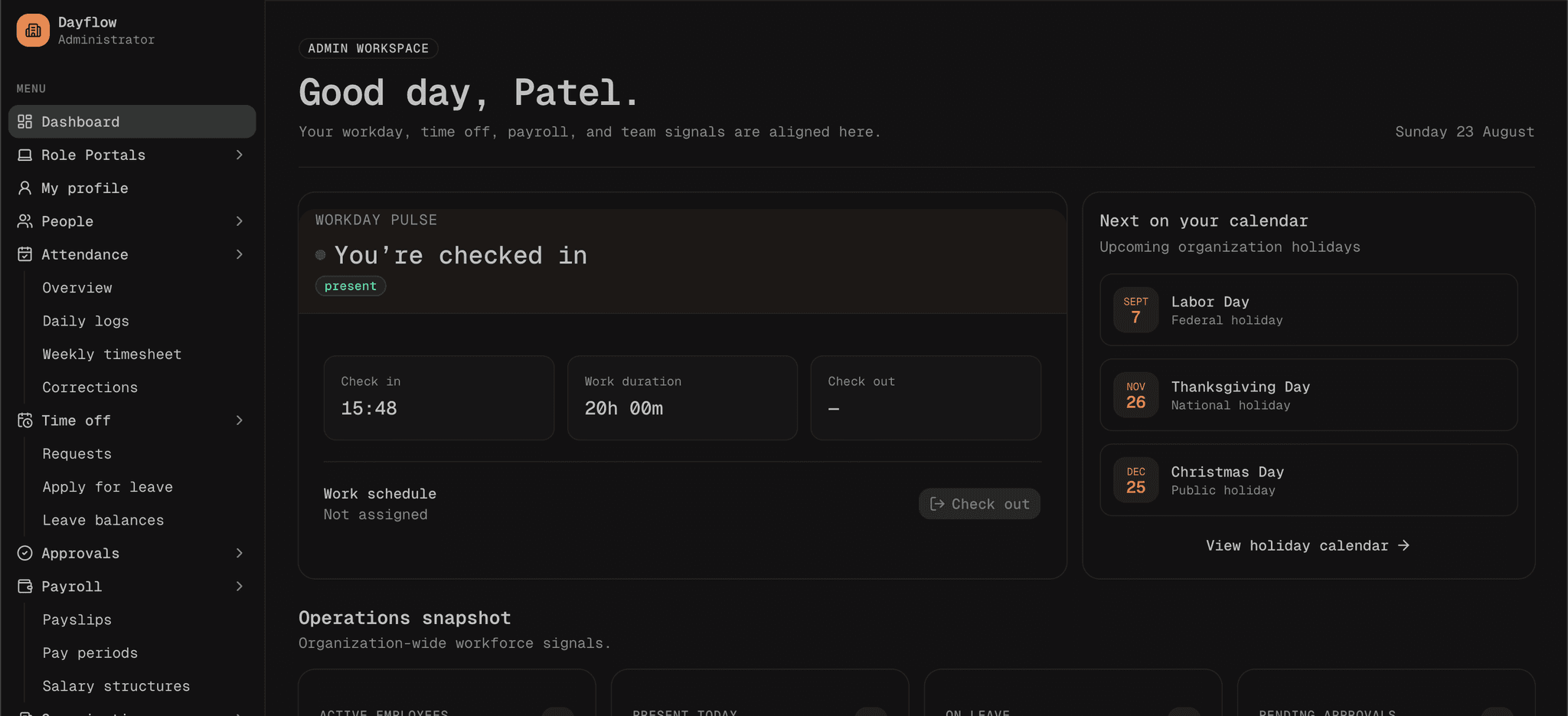
Dayflow HR & Workforce Platform
A modern, Odoo-inspired HR management web application built for the Odoo Virtual Hackathon (Bangalore). It provides a unified dashboard for attendance tracking, leave management, employee records, payroll, and organization settings — with role-based access for employees, managers, and HR admins.




Features
Authentication
- Email & password sign-in and sign-up
- GitHub OAuth (optional, via env vars)
- Session-based auth powered by Better Auth
- Protected dashboard routes via Next.js proxy
HR Modules
| Module | Description | |--------|-------------| | Dashboard | Overview cards, interactive charts, and data tables | | Attendance | Daily/weekly views, check-in/check-out, regularization requests | | Time Off | Leave applications, balance tracking, approval workflows | | People | Employee directory, profiles, onboarding, and settings | | Organization | Departments, roles, holidays, and org structure | | Payroll | Payslips and salary structure (in progress) | | Approvals | Leave request review and approval | | Settings | Team management and billing |
Role Portals
Dedicated views for different user roles:
/employee— Employee self-service/manager— Manager dashboard/hr— HR operations/admin— Admin user management
REST API
Full CRUD API under /api/v1/ for employees, attendance, leave requests, departments, holidays, work schedules, payroll, and more.
Tech Stack
| Layer | Technology | |-------|------------| | Framework | Next.js 16 (App Router) | | Language | TypeScript | | UI | Tailwind CSS 4, shadcn/ui, Radix UI | | Auth | Better Auth with Drizzle adapter | | Database | PostgreSQL via Neon Serverless | | ORM | Drizzle ORM | | Charts | Recharts | | 3D / Globe | Three.js, react-three-fiber | | Package Manager | Bun |
Project Structure
odoo-banglore/
├── src/
│   ├── app/
│   │   ├── (auth)/              # Sign-in & sign-up pages
│   │   ├── (dashboard)/         # Protected HR dashboard modules
│   │   ├── (user)/              # Role-based portals (admin, hr, manager, employee)
│   │   ├── api/
│   │   │   ├── auth/[...all]/   # Better Auth handler
│   │   │   └── v1/              # REST API routes
│   │   └── page.tsx             # Public landing page
│   ├── components/              # UI components & dashboard widgets
│   ├── db/
│   │   ├── index.ts             # Neon + Drizzle client
│   │   └── schema/              # Database schema (auth + HR tables)
│   ├── lib/
│   │   ├── auth.ts              # Better Auth server config
│   │   ├── auth-client.ts       # Better Auth React client
│   │   └── auth-config.ts       # Production URL & origin helpers
│   └── proxy.ts                 # Route protection (Next.js 16 proxy)
├── drizzle/                     # Database migrations
├── drizzle.config.ts
└── package.json
Getting Started
Prerequisites
1. Clone the repository
git clone https://github.com/uvpatel/odoo-banglore.git
cd odoo-banglore
2. Install dependencies
bun install
3. Configure environment variables
Create a .env file in the project root:
# Database
DATABASE_URL=postgresql://user:password@host/database?sslmode=require

# Better Auth (required)
BETTER_AUTH_SECRET=your-secret-at-least-32-chars   # openssl rand -base64 32
BETTER_AUTH_URL=http://localhost:3000

# Optional — GitHub OAuth
GITHUB_CLIENT_ID=
GITHUB_CLIENT_SECRET=

# Optional — production overrides
NEXT_PUBLIC_BETTER_AUTH_URL=
BETTER_AUTH_TRUSTED_ORIGINS=
BETTER_AUTH_ALLOWED_HOSTS=
Generate a secure secret:
openssl rand -base64 32
4. Run database migrations
bunx drizzle-kit migrate
Or push the schema directly during development:
bunx drizzle-kit push
5. Start the development server
bun dev
Open http://localhost:3000 in your browser.
Production Deployment
The auth configuration is optimized for platforms like Vercel:
| Variable | Required | Notes |
|----------|----------|-------|
| BETTER_AUTH_SECRET | Yes | Min 32 characters, high entropy |
| DATABASE_URL | Yes | Neon Postgres connection string |
| BETTER_AUTH_URL | Recommended | Your production URL, e.g. https://your-app.vercel.app |
| GITHUB_CLIENT_ID | Optional | For GitHub sign-in |
| GITHUB_CLIENT_SECRET | Optional | For GitHub sign-in |
On Vercel, BETTER_AUTH_URL can be omitted — the app auto-detects from VERCEL_URL and VERCEL_PROJECT_PRODUCTION_URL.
Verify auth after deploy
curl https://your-domain.com/api/auth/ok
# Expected: {"status":"ok"}
GitHub OAuth callback
If using GitHub OAuth, set the callback URL in your GitHub OAuth app to:
https://your-domain.com/api/auth/callback/github
API Reference
All API routes live under /api/v1/ and return JSON responses with { success, data, message }.
| Endpoint | Methods | Description |
|----------|---------|-------------|
| /api/v1/me | GET, PUT, PATCH | Current user profile |
| /api/v1/me/attendance | GET | Current user's attendance |
| /api/v1/me/time-off | GET | Current user's leave records |
| /api/v1/me/payslips | GET | Current user's payslips |
| /api/v1/employees | GET, POST | Employee directory |
| /api/v1/employees/:id | GET, PUT, PATCH, DELETE | Single employee |
| /api/v1/attendence/check-in | GET, POST | Check-in |
| /api/v1/attendence/check-out | POST | Check-out |
| /api/v1/attendence/corrections | GET, POST | Attendance regularization |
| /api/v1/leave-requests | GET, POST | Leave requests |
| /api/v1/leave-requests/:id/approve | POST | Approve leave |
| /api/v1/leave-requests/:id/reject | POST | Reject leave |
| /api/v1/leave-types | GET, POST | Leave type definitions |
| /api/v1/departments | GET, POST | Departments |
| /api/v1/holidays | GET, POST | Company holidays |
| /api/v1/work-schedules | GET, POST | Work schedule templates |
| /api/v1/payroll/payslips | GET | Payslip records |
| /api/v1/payroll/periods | GET | Payroll periods |
| /api/v1/approvals | GET | Pending approvals |
| /api/v1/notifications | GET | User notifications |
Auth endpoints are handled automatically by Better Auth at /api/auth/*.
Scripts
| Command | Description |
|---------|-------------|
| bun dev | Start development server |
| bun run build | Create production build |
| bun start | Start production server |
| bun run lint | Run ESLint |
| bunx drizzle-kit migrate | Apply database migrations |
| bunx drizzle-kit push | Push schema changes to database |
| bunx drizzle-kit studio | Open Drizzle Studio (DB browser) |
Authentication Flow
User → /sign-in or /signup
         ↓
   Better Auth (/api/auth/*)
         ↓
   Session cookie set (nextCookies plugin)
         ↓
   Redirect to /dashboard
         ↓
   proxy.ts checks session cookie
         ↓
   Dashboard layout validates session server-side
Sign-in page: /sign-in
Sign-up page: /signup
Protected routes: /dashboard/*
License
This project is private and was created for the Odoo Virtual Hackathon.