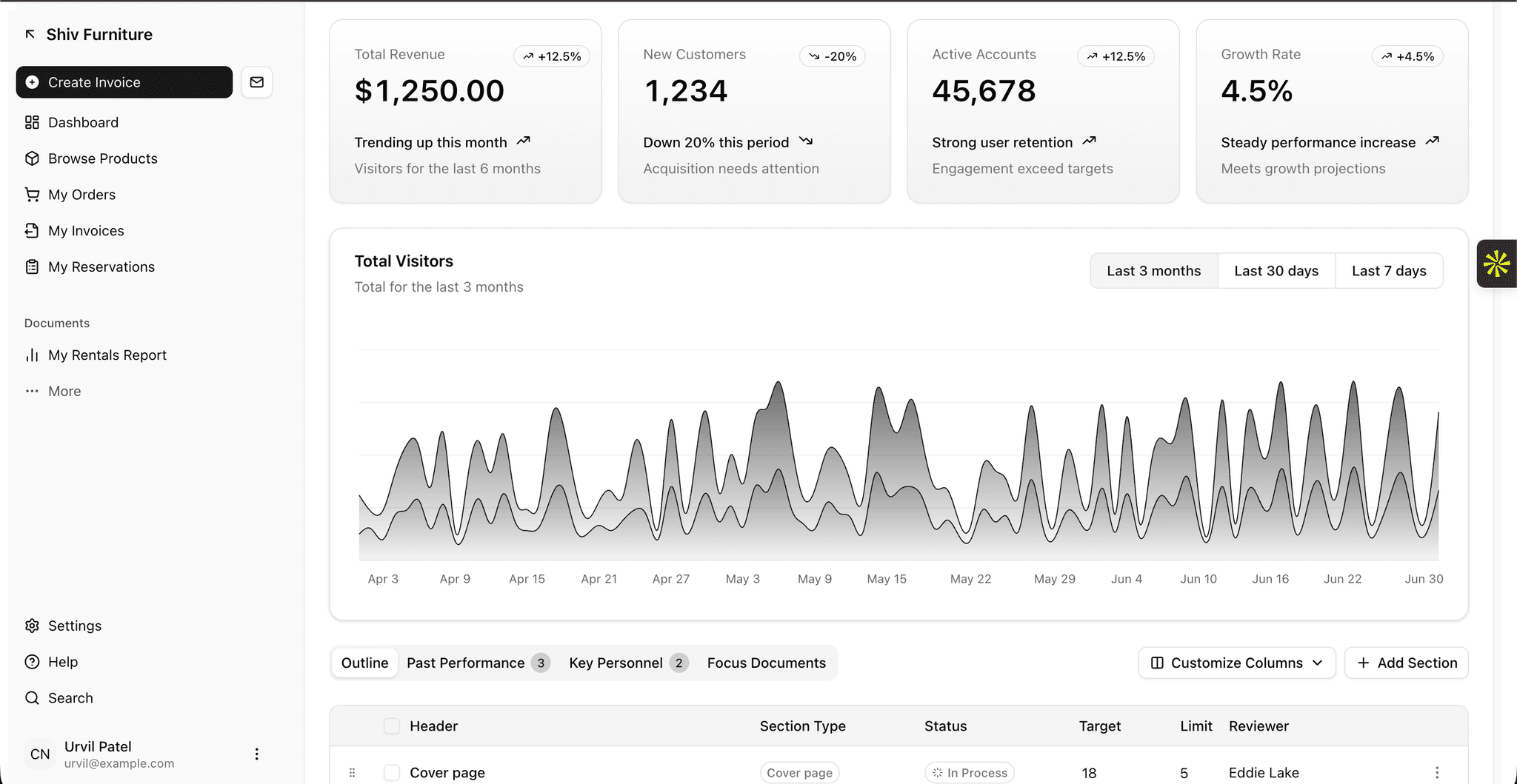
Project overview
Budget Accounting System – Shiv Furniture
Production-grade enterprise Budget Accounting and Financial Operations System for Shiv Furniture, connecting the complete business workflow from master data to double-entry general ledger posting, auto-analytical cost centers, budget revisions, multi-document payment reconciliations, customer portal access, and server-side PDF generation.
Technical Stack
- Framework: Next.js 16 (App Router)
- Language: TypeScript (Strict mode enabled)
- Styling: Tailwind CSS & shadcn/ui
- Visual Enhancements: Aceternity UI (Landing page & authenticated workflows)
- Database ORM: Drizzle ORM
- Database Platform: Neon PostgreSQL (Serverless connection pooler)
- Authentication & Security: Better Auth with Server Guards (
requireAdmin,requirePortalUser,assertContactOwnership) - Visualizations & Tables: Recharts & TanStack Table
- Document Engine: Server-side PDF generation with
jsPDF - Validation & Math: Zod & Precision 2-decimal scale monetary utility
System Architecture
Master Data (Contacts & Products)
       │
       ▼
Commercial Transactions (Sales Orders & Purchase Orders)
       │
       ├──► Auto-Analytical Rule Engine (Priority-based matching)
       │
       ▼
Accounting Documents (Customer Invoices & Vendor Bills)
       │
       ▼
Balanced Double-Entry Posting (Sum(Debit) == Sum(Credit))
       │
       ├──► General Ledger Journal Entries & Lines
       │
       ├──► Cost Center Budget Actual Calculations (Effective Revisions)
       │
       ▼
Payments & Allocations Engine (Auto Payment Status: NOT_PAID | PARTIALLY_PAID | PAID)
       │
       ├──► Management Dashboard & Financial Reports (Receivables / Payables / Budget vs Actual)
       │
       └──► Secure Customer Portal (Scoped PDF downloads & Online Payments)
Quick Setup Guide
1. Prerequisites
Ensure you have Node.js 20+ and Bun (or npm) installed.
2. Environment Variables
Copy .env.example to .env and fill in your Neon Postgres credentials:
cp .env.example .env
3. Initialize Database & Seed Demo Data
Run the idempotent seed script to create all Neon Postgres tables and populate realistic Shiv Furniture demo data:
bun run seed
4. Start Development Server
bun run dev
Open http://localhost:3000 in your browser.
Verification Commands
# Type check TypeScript files
bun run typecheck

# Run unit & financial tests
bun test

# Run linter
bun run lint

# Build production bundle
bun run build
Key Features
- Database-Backed Management Dashboard: Real-time KPIs for Total Approved Budget, Actual Income, Actual Expenses, Net Result, Consumed Budget, Outstanding Receivables/Payables, and Cost Center Utilization.
- Auto-Analytical Rule Engine: Deterministic priority-based matching engine automatically tagging transaction lines with cost centers based on category, product, contact, or description keywords.
- Budget Revision Workflow: Approved budgets preserve original planned amounts; revisions track revision numbers, previous/revised values, differences, reasons, effective dates, and approver audit trails.
- Balanced Double-Entry Accounting: Transactional posting of invoices and vendor bills enforcing
Sum(Debit) == Sum(Credit)for Accounts Receivable, Accounts Payable, Sales Revenue, Expenses, Output GST, and Input GST Credit. - Multi-Document Payment Reconciliation: Inbound/Outbound payments with 1-to-1, partial, or multi-document allocations. Document payment status automatically transitions between
NOT_PAID,PARTIALLY_PAID, andPAID. - Isolated Customer Portal: Server-side authorized portal strictly restricting customers to their own orders, invoices, payment history, PDF downloads, and online invoice payment.